Major tech companies have been quietly updating their processes to include scraping personal information to train their AI models. This means often past, present, and future data you post on popular social media sites, as well as in Google email and documents is currently being fed into huge training datasets for AI systems.
While ideally each individual could opt to have a right for their data to not be used to train AI models globally, for now each platform has their own opt-out process.
We’ve compiled a short guide here to outline how to opt-out of Google, Meta, and LinkedIn using your data to train AI.
Google has updated their policies and settings to allow scraping of data from emails and Drive documents. Follow the steps below to disable AI training on your data, but please note this will disable Gemini and so-called ‘Smart’ features like AI assisted email and docs content generation.
Steps to stop Google training AI on your emails and documents:
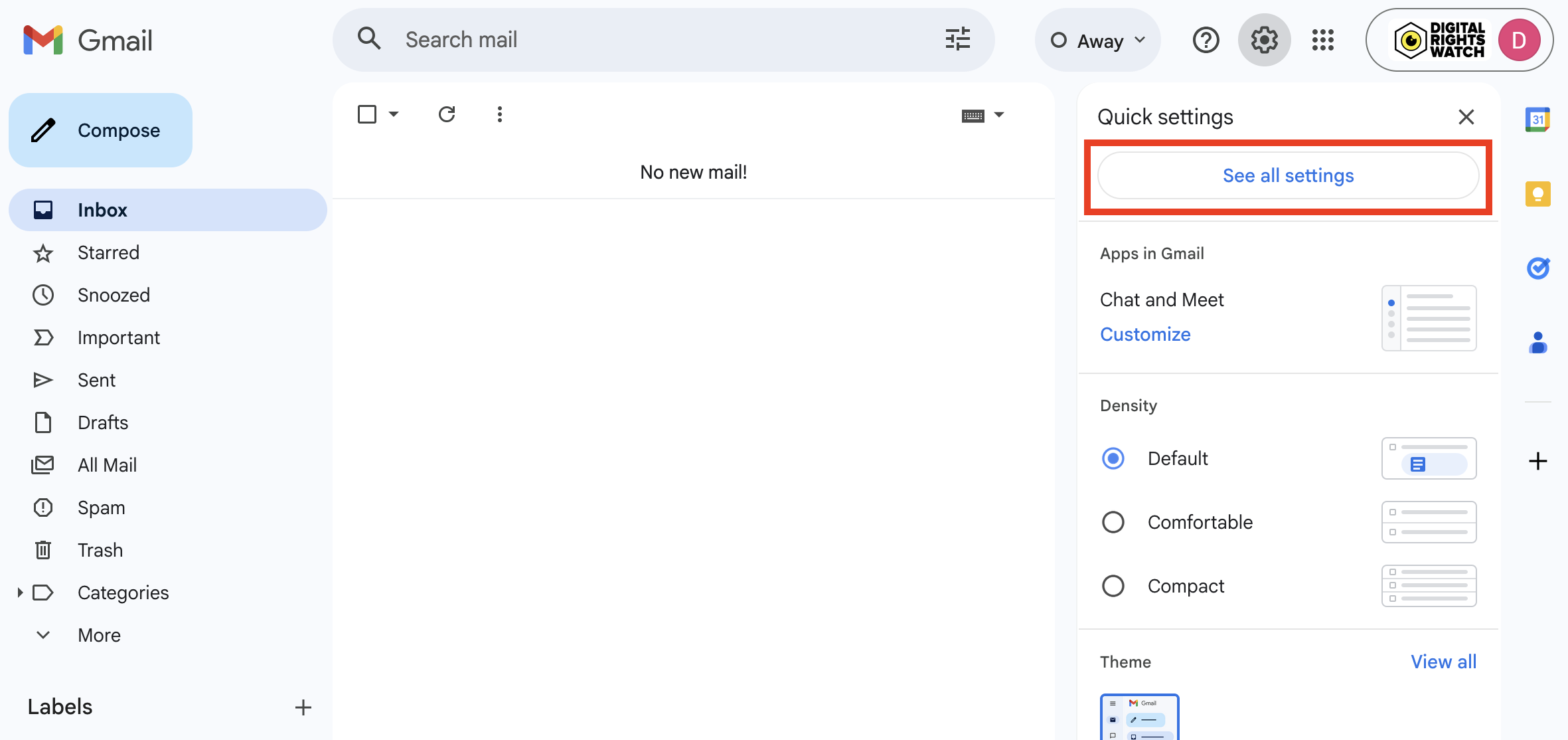
- Go to your Gmail settings
- Click ‘See all settings’
- In your general settings, scroll down to the bottom
- Smart features: Turn off ‘smart features in Gmail, Chat, and Meet’
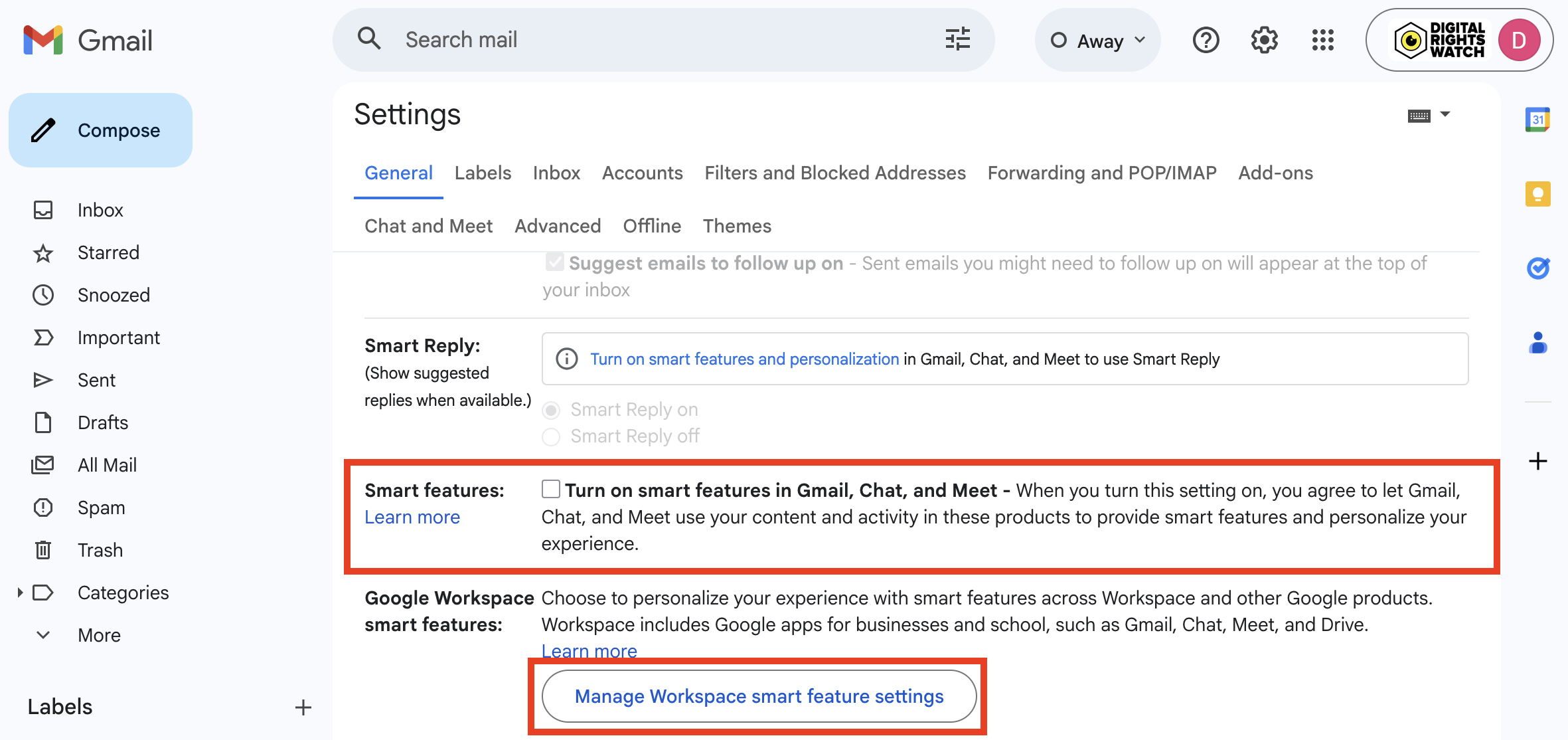
- Google Workspace smart features: Click ‘Manage Workspace smart feature settings’
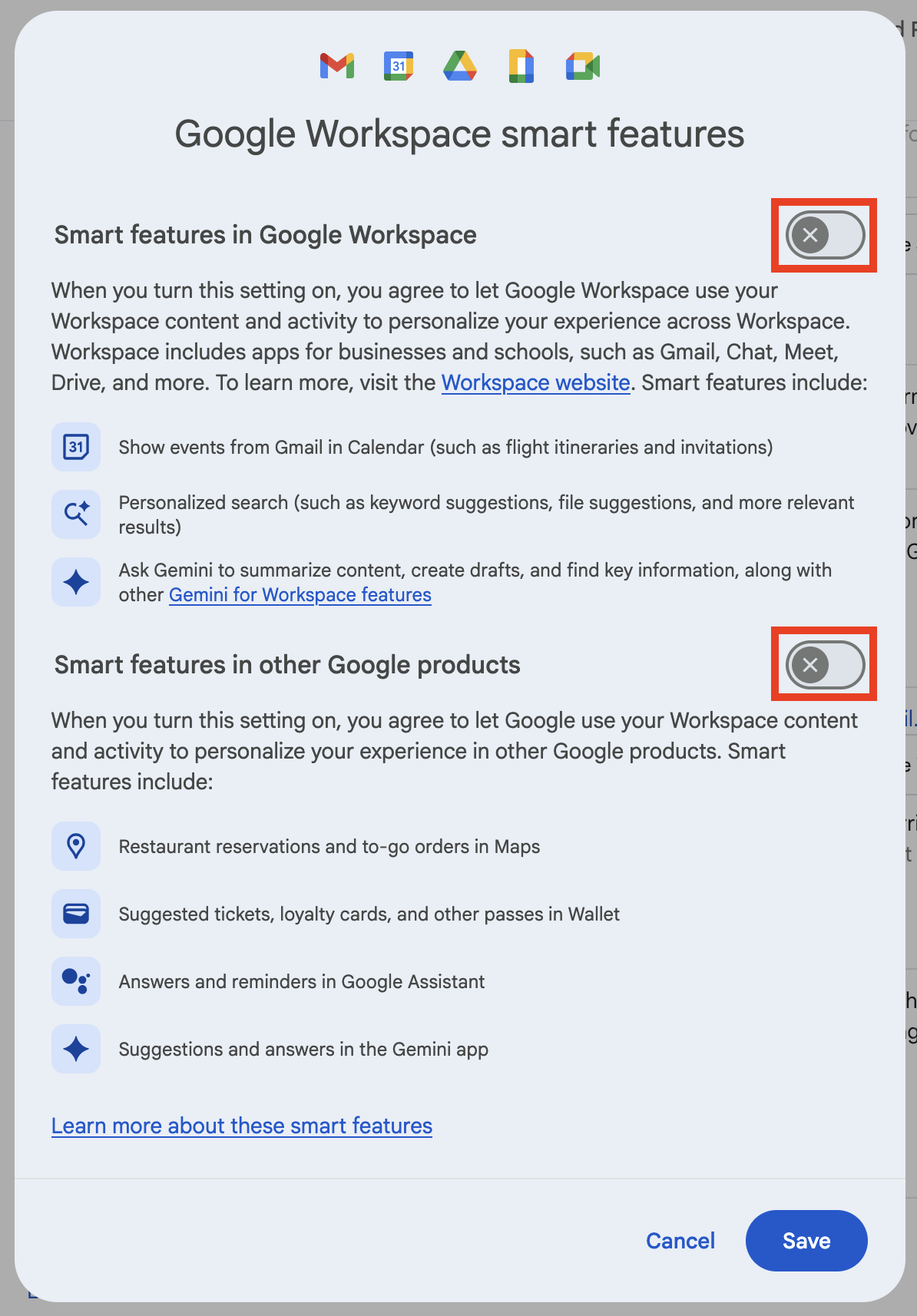
- Toggle off: ‘Smart features in Google Workspace’ and ‘Smart features in other Google products
Meta
Meta has announced they have begun training their AI models on data from Facebook and Instagram users. This includes retroactively training on past data. Follow these steps in order to request to opt-out of this data collection.
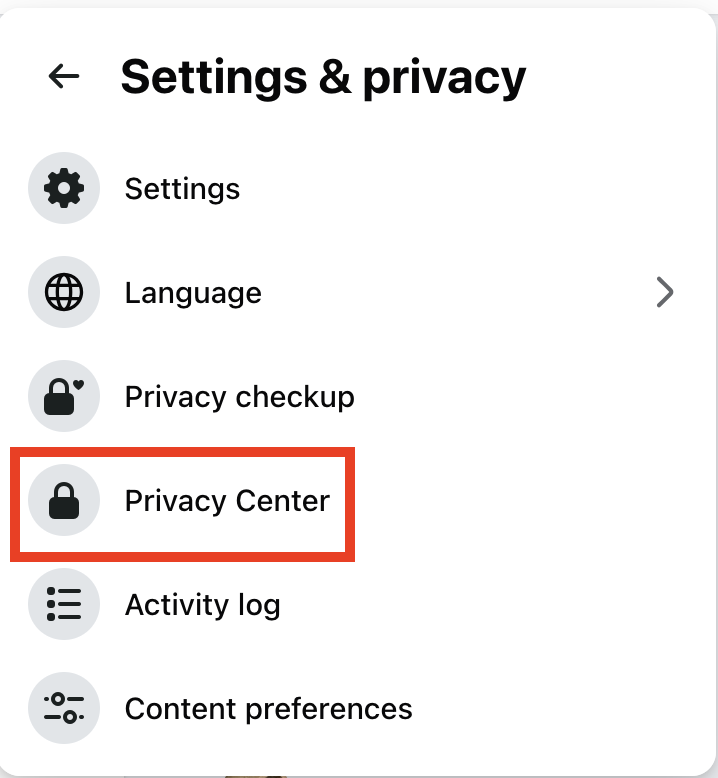
- Navigate to ‘Settings & Privacy’
- Click ‘Privacy Center’
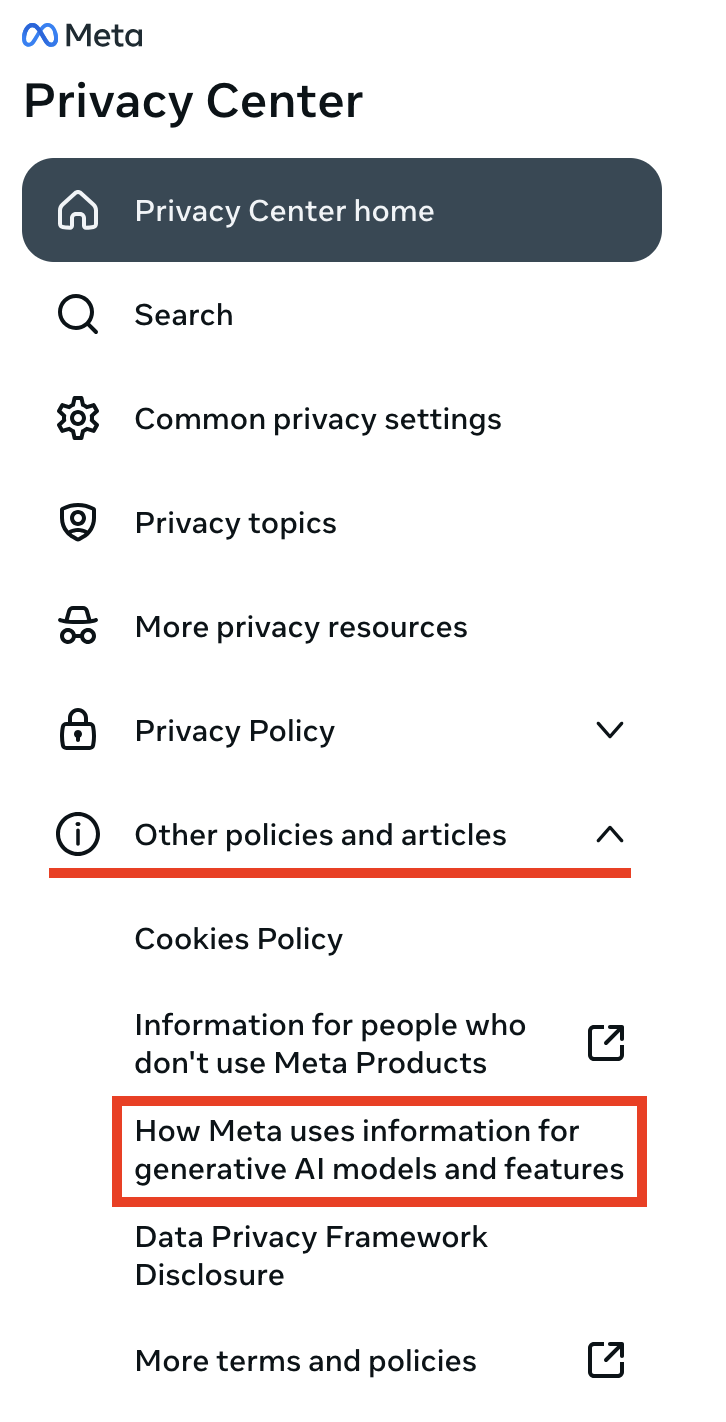
- Open the ‘Other Policies & Articles’ accordion
- Click ‘How Meta uses information for generative AI models and features’
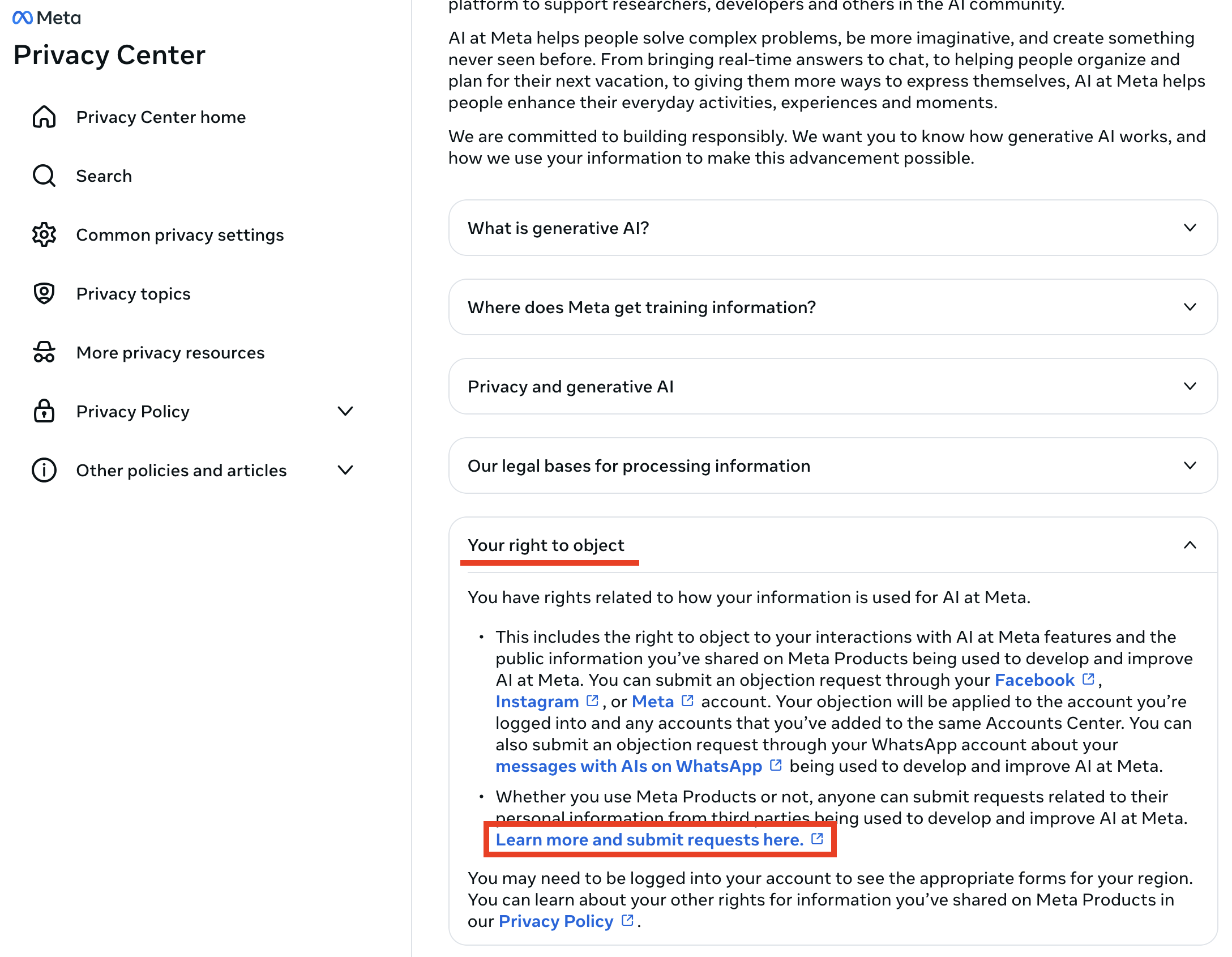
- Open the ‘Your right to object’ accordion
- Click ‘Learn more and object here’
* Fill out the form and submit
LinkedIn has started using data on their platform as training for AI models. If you want to opt-out of having your personal information used in this way:
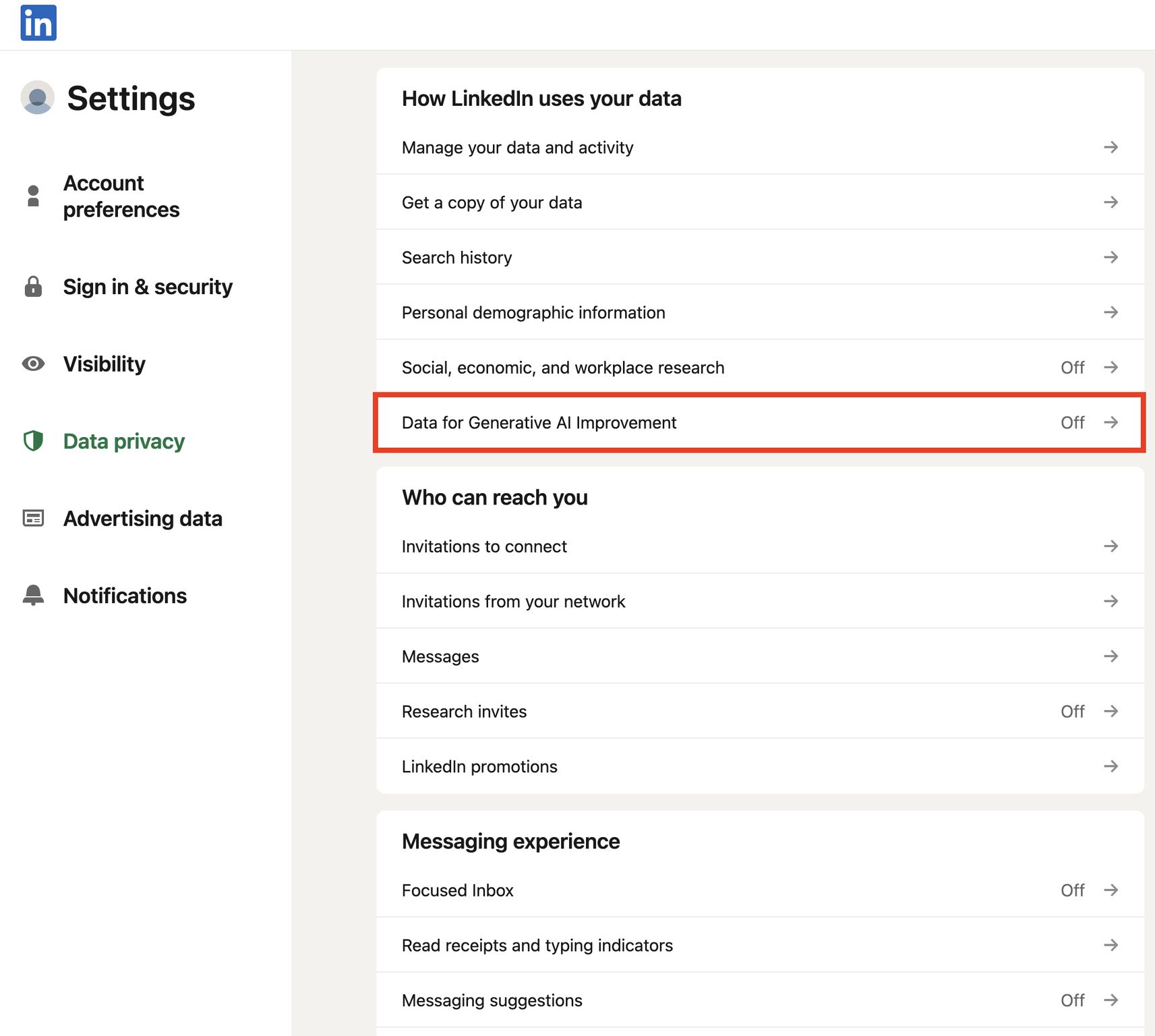
- Head first to your ‘settings’
- Then the ‘data privacy’ option
- Turn ‘Data for Generative AI Improvement’ OFF
X (Twitter)
You can turn off Grok AI using your content for data training by following these steps:
Settings > Settings & Privacy > Grok > Data Sharing > Turn it off